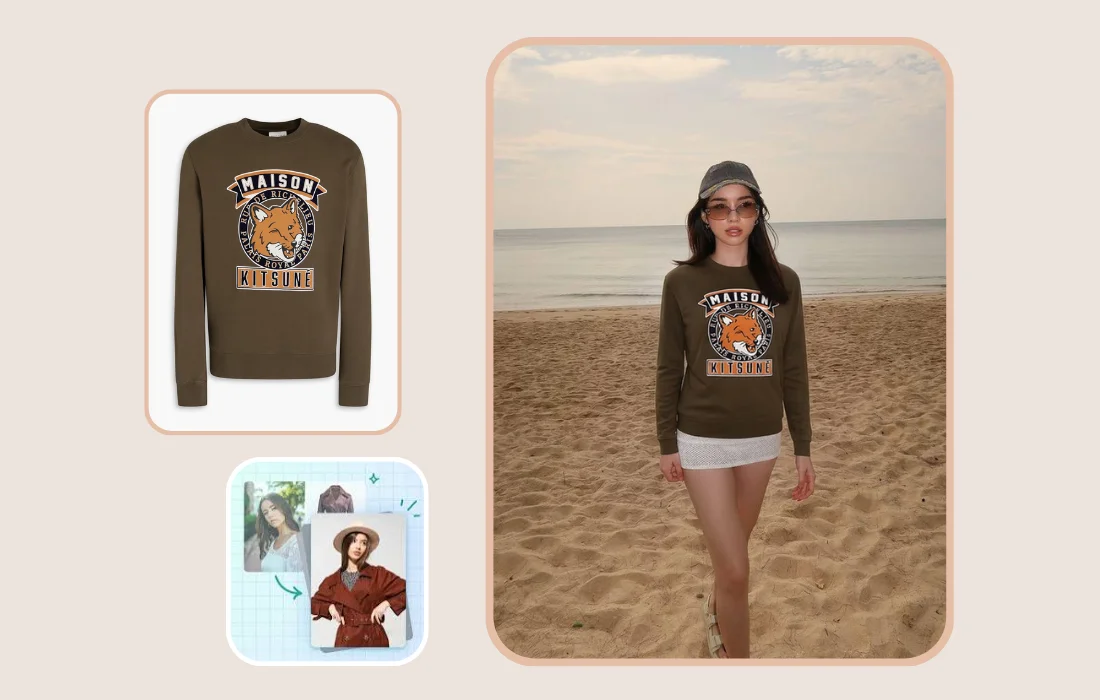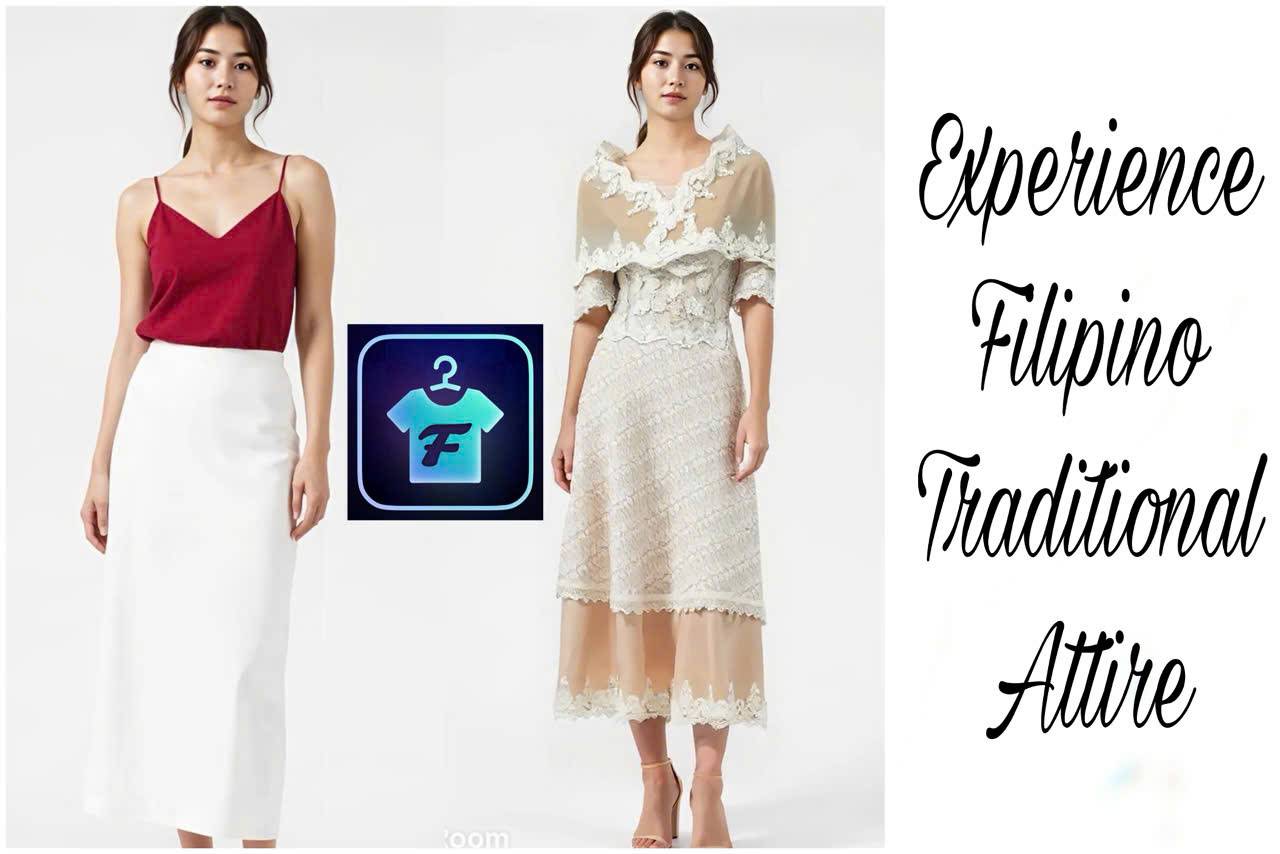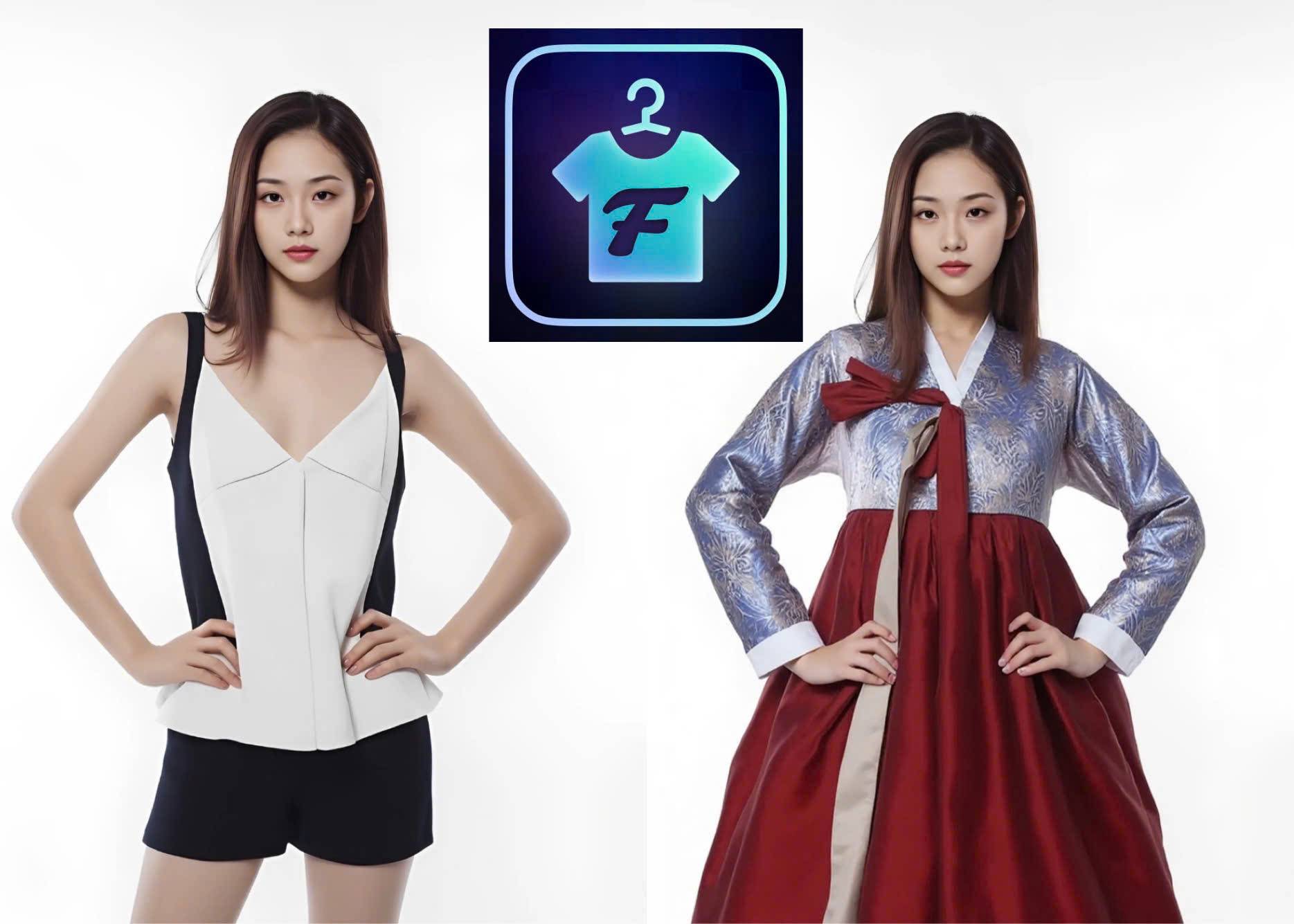
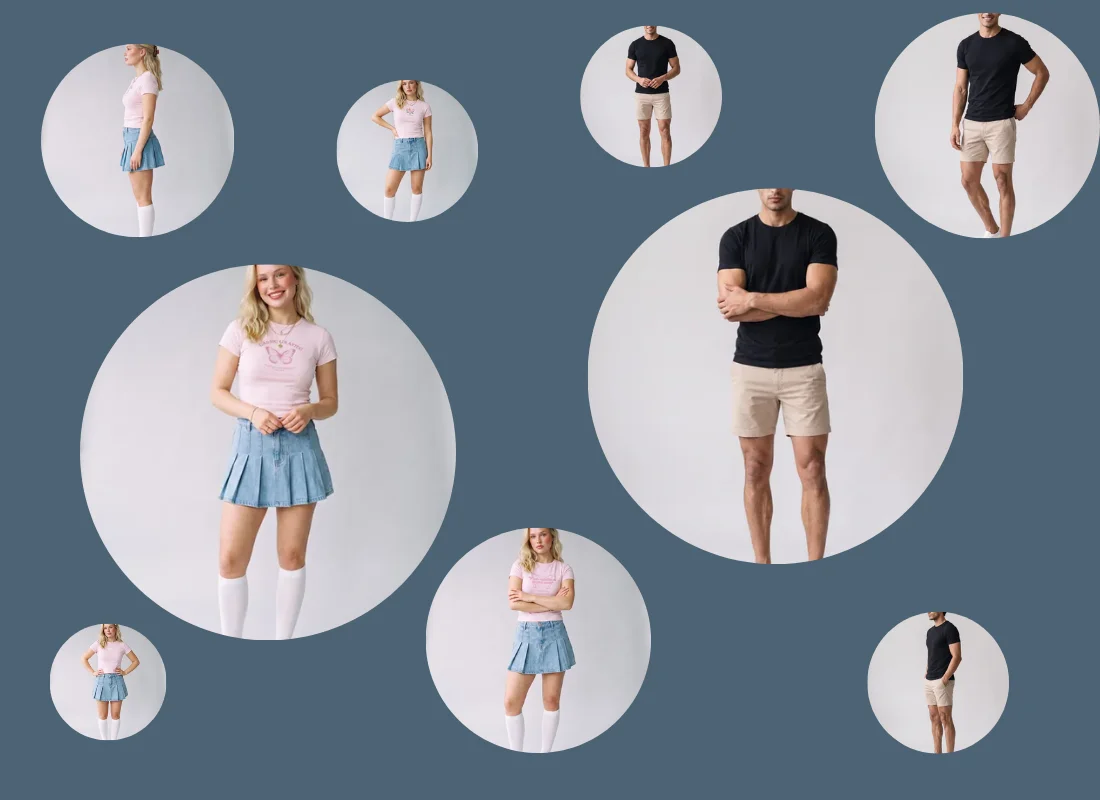
Fitroom now generates virtual try-on images from multiple angles in a single batch. Front, back, and side views are available across 48 models and 15 poses per model, so shoppers can see exactly how a garment looks from every side before they buy.
The Problem With One-Angle Product Photos
A single front-facing photo tells a shopper very little about how a garment actually fits. It hides the back of a jacket, the drape of a dress from the side, the fall of a hoodie when someone turns. That gap is where doubt creeps in, and doubt is what leads to a return.
Producing multiple angles the traditional way means booking a photoshoot, styling several looks, and shooting each one from several sides. For most sellers, especially those adding new SKUs every week, that cost and turnaround time simply isn't realistic.
What's New in Fitroom
Fitroom's model library has expanded to 48 models, covering a wide range of ages, from children to older adults, along with different genders and skin tones.
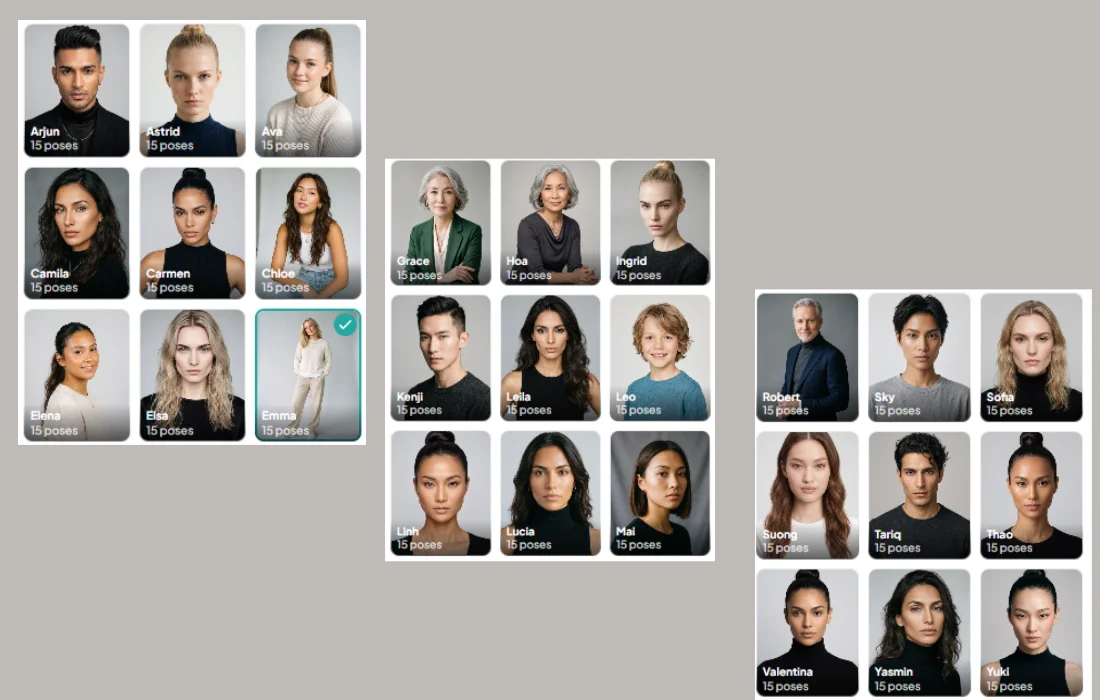
Each model comes with 15 poses, including front, back, and side angles.
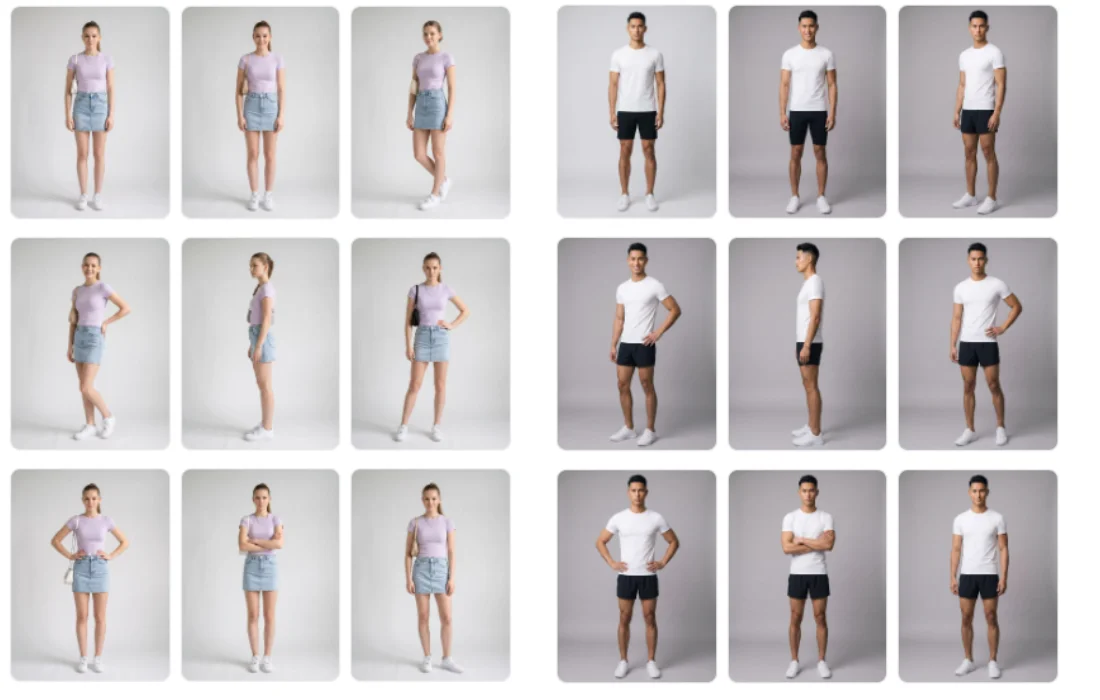
Users can now select multiple poses at once and generate them together in a single batch. Upload one garment, pick the angles you want, and Fitroom returns a full set of consistent, on-model images in one pass.
This update, alongside our recent logo and print accuracy update, expands what Fitroom can do for your catalog.
Why Multiple Angles Matter More Than One Perfect Shot
This update is built around a simple pattern in online shopping. Shoppers who can see a product from more than one angle feel more confident about what they're buying, and that confidence shows up directly in conversion and return rates.
A front view alone leaves too many questions unanswered. Does the back have a design too? How does the fabric drape when viewed from the side? Does the fit look the same when the model turns? Every unanswered question is a reason for a shopper to hesitate at checkout, or to order and send it back after seeing it doesn't match expectations.
Multi-angle try-on closes that gap directly. A shopper who sees the front, back, and side of a garment on a model close to their own body type has far less reason to guess, and far less reason to return the order once it arrives.
A Ready Model Library, Not a Setup Process
Some virtual try-on tools require building a custom model first: uploading reference images, training a model, then generating results from it. That adds a setup step before a seller can produce a single image.
Fitroom works differently. The 48 models and their 15 poses are ready to use immediately. There's no training step and no reference images to prepare. Select a model, select the poses, upload the garment, and generate.
Pricing
Multi-angle generation uses the same credit system as standard try-on:
- Normal mode: 1 credit per completed image
- HD mode: 2 credits per completed image
Generating a full front, back, and side set costs the same per image whether it's one angle or several, so covering a garment from multiple sides doesn't carry a separate premium.
How to Generate Multi-Angle Try-On
This is the part that actually saves time. Instead of running one pose at a time, you generate a full set in a single click.
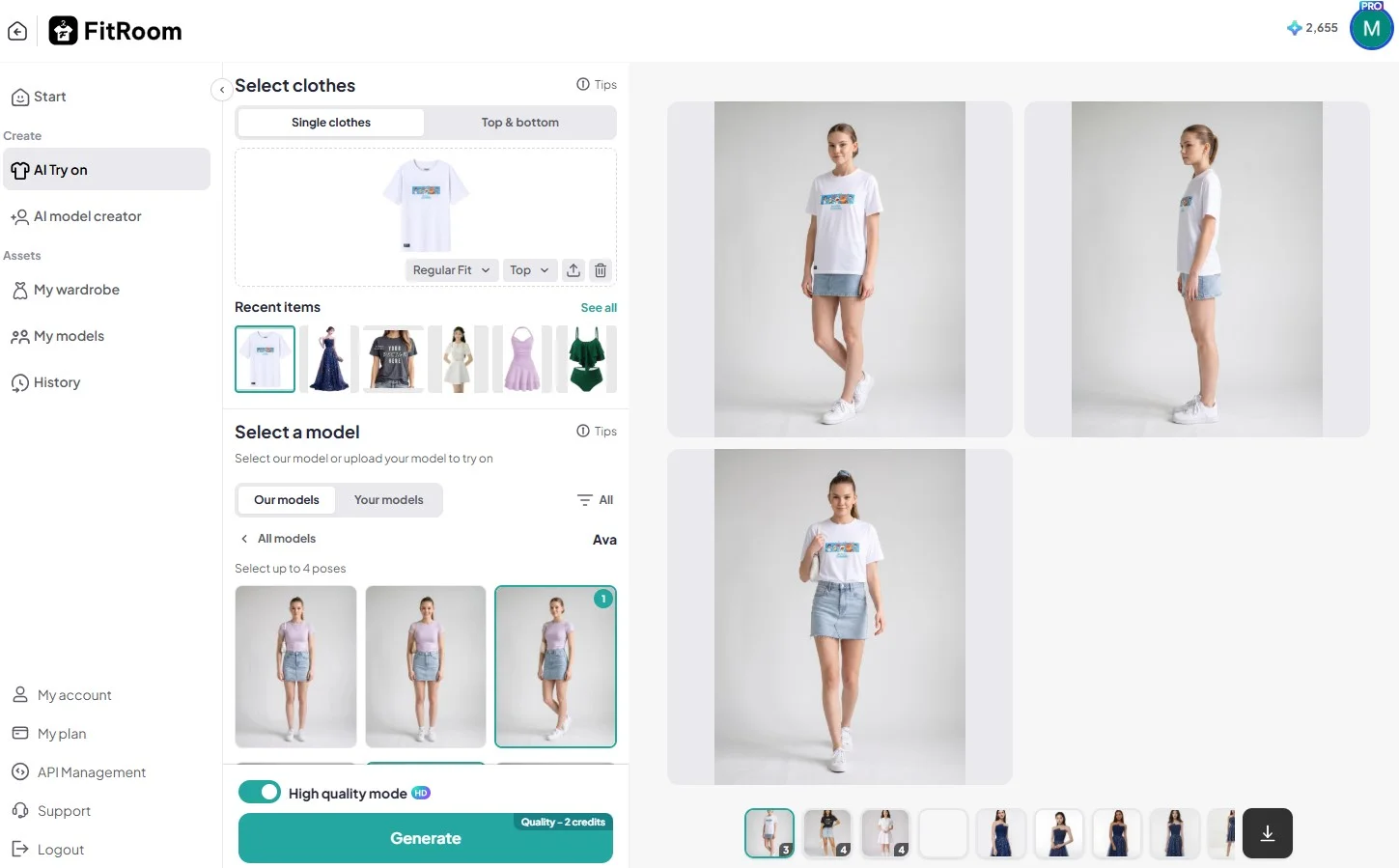
- Upload the garment you want to try on.
- Choose a model from the library.
- Under poses, check the ones you want, up to 4 at once. Front, back, side, whatever angles matter for that garment.
- Turn on HD mode if you want the higher quality output.
- Click Generate.
That's it. Fitroom processes all selected poses together, and the results land side by side, ready to download all at once instead of one file at a time. A garment that used to take several separate runs to cover front, back, and side now comes back as one finished set, in one pass.
FAQ
Do I have to generate each angle one at a time?
No. Select up to 4 poses in a single generation and Fitroom produces the whole set together. This is the main difference from running separate try-on requests for front, back, and side, which used to mean repeating the same setup multiple times for one garment.
Will the front, back, and side images actually match each other?
Yes. Since all selected poses come from the same generation using the same garment upload and the same model, the lighting, model identity, and garment fit stay consistent across every angle. The result reads as one coherent product shoot rather than images pieced together from separate runs.
Does selecting more angles cost more per image?
No premium is added for generating multiple angles together. Each image is still billed individually, 1 credit in normal mode or 2 credits in HD. Generating four angles costs the same as running four separate images, it just happens in one pass instead of four.
Can I use this with my own uploaded model, not just Fitroom's library?
Multi-angle selection is built around Fitroom's own model library, where each of the 48 models comes with 15 pre-set poses ready to pick from. If you upload your own model instead, available poses depend on what's captured in that image, so the same pick-4-poses workflow may be more limited there.
Does multi-angle work for full outfits, not just single items?
Yes. Whether you're trying on a single piece or a top-and-bottom combination, the workflow is the same, upload the clothing, select the poses, and generate.
How do I get all the images once they're done?
Generated poses appear together in the results panel and can be downloaded as a batch in one action, instead of saving each image individually. For a product listing that needs three or four angles, that turns a multi-step process into one download.
Is there a limit to how many poses I can select?
Up to 4 poses per generation. If a garment needs more angles than that, run a second batch, still considerably faster than generating each pose as a separate request the way it worked before.
Built for How Sellers Actually Work
Fitroom keeps adding what sellers actually need to move faster: more models, more angles, and a workflow that stays fast, convenient, and affordable at every step. Multi-angle virtual try-on is the latest step in that direction, and it won't be the last.
Try It Now
Multi-angle try-on is available now in the Fitroom app and Fitroom API. Upload a garment and generate a full set of angles to see the difference for yourself.