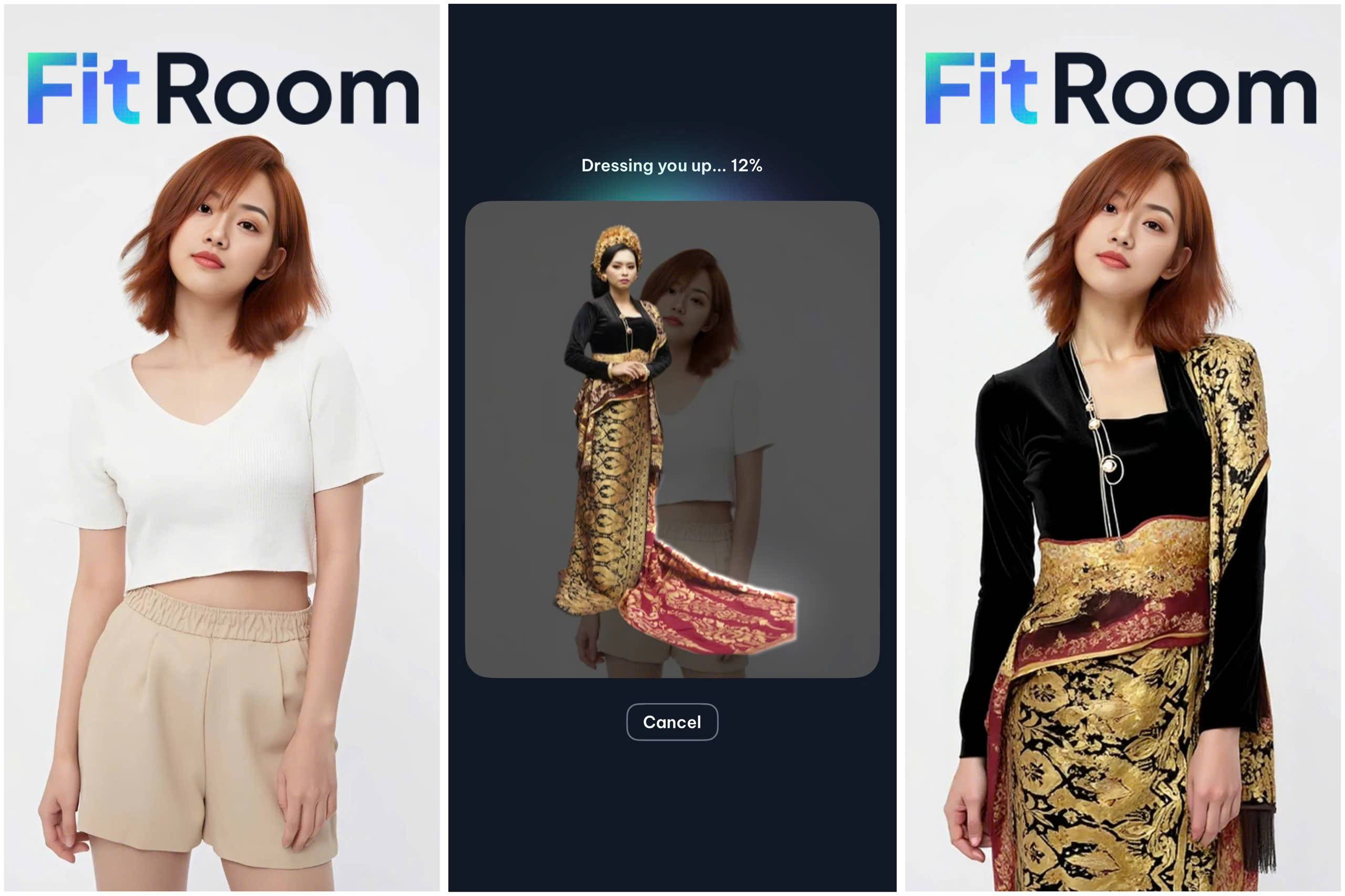

By allowing shoppers to see how products look on real people, or on themselves, virtual try-on directly addresses the confidence gap behind most online purchases. The impact is measurable: brands using virtual try-on report 25 – 48% lower return rates and significant lifts in conversion.
Instead of building complex AI systems from scratch, brands and developers can integrate try-on directly into their websites or apps via API.
In this guide, we’ll break down what a virtual try-on API is, how it works, who it’s for, and how to choose the right solution for your e-commerce business.
What is a virtual try-on API?
A virtual try-on API is a service that allows developers to generate images of a person wearing a specific product using AI, without requiring manual editing or complex in-house models.
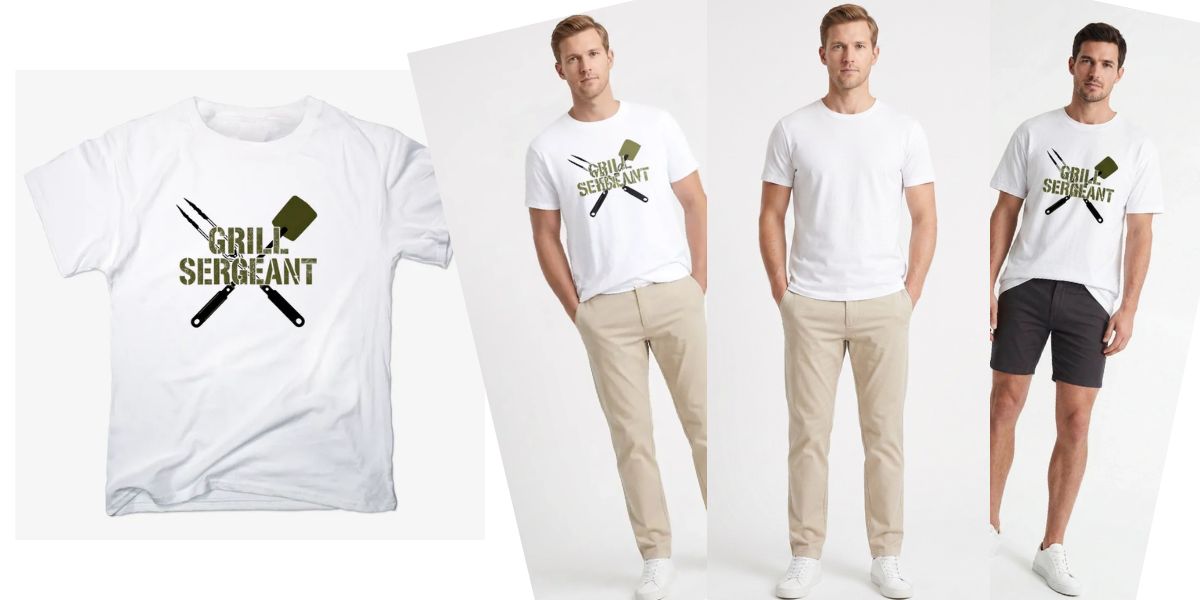
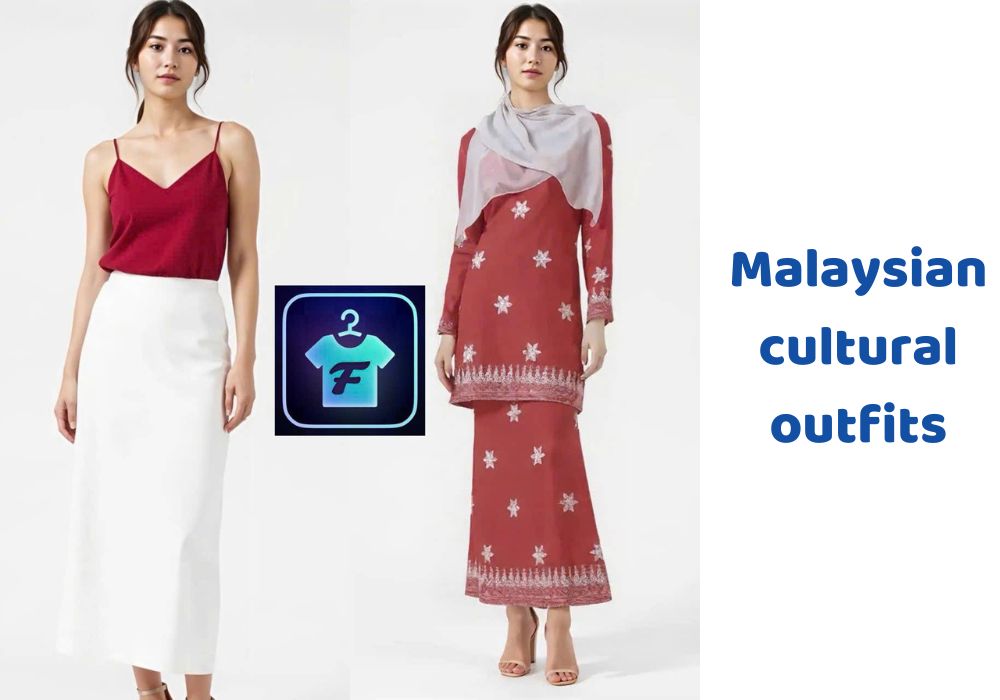
The API takes two main inputs: a photo of a person (either a model or an end user) and an image of a garment. It then processes these inputs and returns a new image showing how that garment would look when worn.
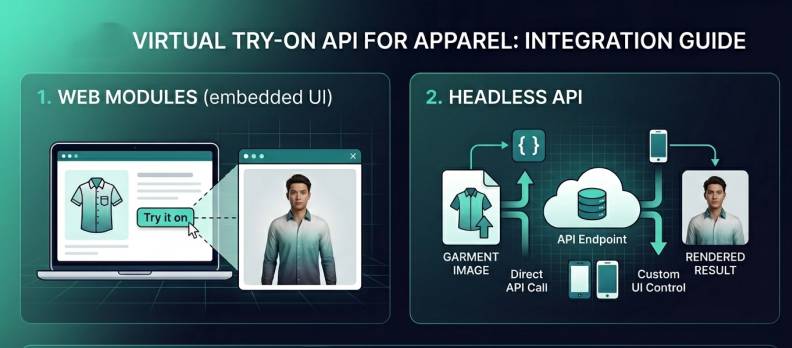
What makes it an API is how it’s used. Instead of being a standalone tool, it’s designed to be integrated directly into websites, mobile apps, or e-commerce platforms. Developers can send inputs through a request, trigger a try-on process, and receive the generated output programmatically, often within seconds.
Most virtual try-on APIs follow a simple workflow:
- Upload or provide image URLs (person + garment)
- (Optional) validate inputs to ensure quality
- Trigger a try-on generation request
- Retrieve and display the result in the UI
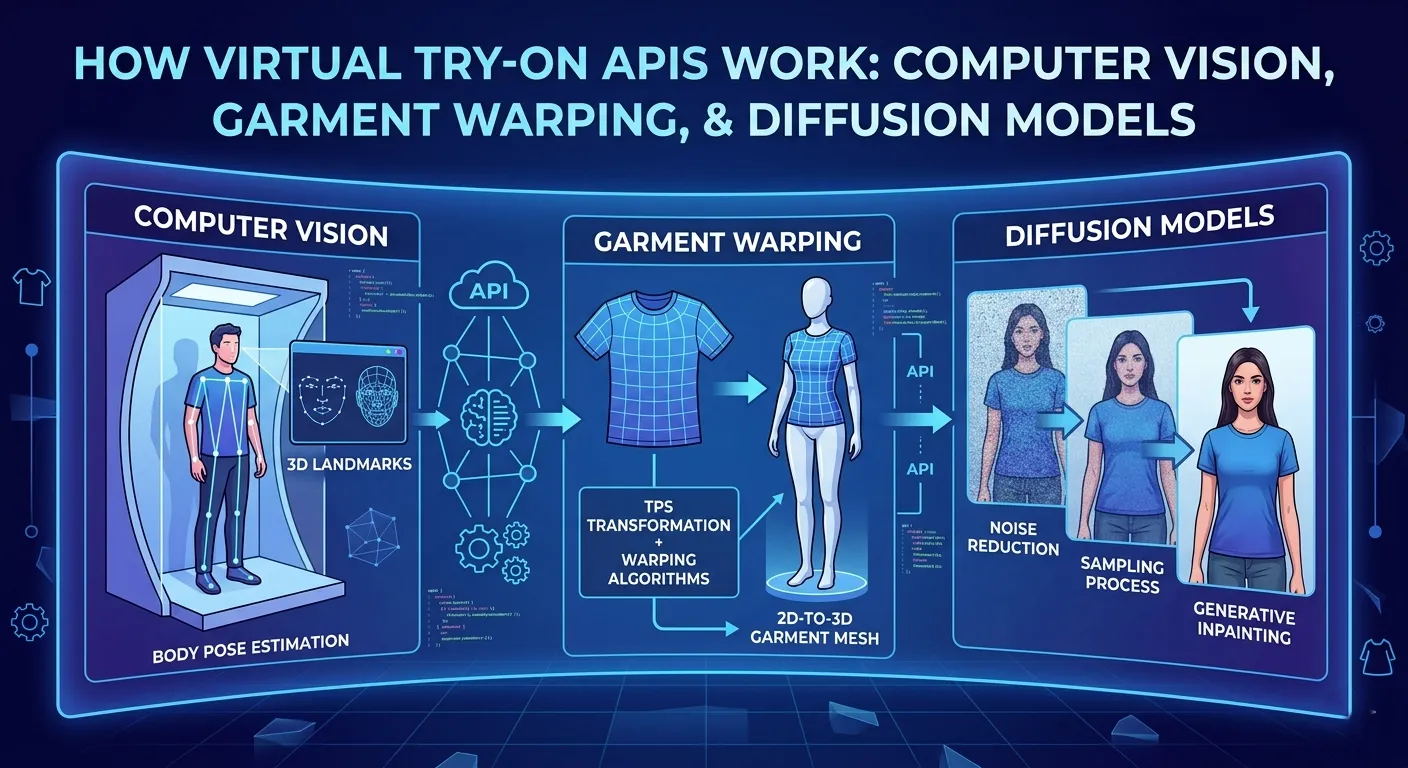
This process involves multiple AI steps, including body detection, garment alignment, and image generation, but all of that complexity is abstracted away behind a single API call.
It’s also useful to distinguish virtual try-on APIs from related approaches. Unlike traditional photoshoots, they don’t require physical models or studio setups. And unlike 3D avatar systems, most modern APIs work directly with standard 2D images, making them faster to deploy and easier for users to interact with.
This combination of realism, speed, and integration flexibility is what makes virtual try-on APIs increasingly valuable in e-commerce.
Instead of relying on static product images, brands can offer interactive experiences like “upload your photo and try it on,” generate consistent product visuals at scale, or personalize how items are presented to different users, all powered through a single, programmable interface.
How does a virtual try-on API work?
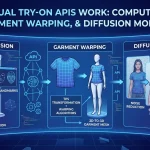
Behind a simple “try on” button is a multi-step AI pipeline that transforms two static images into a realistic result.
The process typically starts with understanding the person. The system detects body pose and key points (such as shoulders, arms, and torso), then segments the image into regions such as skin, clothing, and background. This helps the model understand where the new garment should be placed.
Next comes garment understanding. The API analyzes the clothing image: its shape, texture, and structure, so that it can adapt it to different body types and poses. This step is more complex than it sounds, because a flat product image doesn’t naturally match how clothing behaves when worn.
The core step is garment warping. Here, the system transforms the clothing to align with the person’s body and pose. It needs to preserve proportions, maintain texture, and simulate natural folds; otherwise, the result looks unrealistic.
After that, modern systems use image generation models (often diffusion-based) to refine the output. These models help blend the garment with the person, improving realism, handling occlusions (like arms over clothing), and generating missing details.
Finally, post-processing adjusts lighting, shadows, and edges so the final image looks cohesive rather than “pasted on.”
All of this happens behind the scenes and is exposed through a simple API workflow: send inputs → process → receive generated image. What used to require complex computer vision pipelines can now be completed in seconds as part of a normal product experience.
Who needs a virtual try-on API?
Virtual try-on APIs aren’t limited to one type of business, they’re useful anywhere product visualization impacts buying decisions. In practice, several groups benefit the most.
For fashion ecommerce brands, the goal is straightforward: reduce return rates and increase conversion. This directly addresses one of the biggest drivers of returns: the mismatch between expectation and reality.
For Shopify or WooCommerce developers, virtual try-on becomes a feature they can offer to merchants. Whether it’s a plugin, app, or custom storefront experience, adding try-on can help differentiate their product and deliver more value to clients.
For online sellers and smaller brands, virtual try-on can replace or reduce the need for traditional photoshoots. Instead of organizing models, studios, and logistics, they can generate product visuals programmatically, saving both time and cost.
For marketplaces with multiple sellers, consistency is a major challenge. Different sellers upload different types of images, leading to uneven product pages. Virtual try-on APIs can help standardize how products are presented, creating a more cohesive shopping experience across the platform.
Finally, for print-on-demand (POD) platforms, try-on enables customers to preview designs on real people before purchasing. This is especially valuable for personalized products, where visualization plays a key role in decision-making.
Across all these use cases, the common thread is the same: better visualization leads to better decisions and better outcomes for both users and businesses.
What can you build with a virtual try-on API?
A virtual try-on API can power multiple parts of the e-commerce experience, from product discovery to post-click engagement.
“Try on” button on product pages
Users can upload their photo and instantly see how an item looks on them, turning passive browsing into an interactive experience. This is often the fastest way to improve both engagement and purchase confidence.
→ Example: A shopper browsing a dress clicks “Try on,” uploads a selfie, and instantly sees a personalized preview. This reduces hesitation and makes the decision more concrete.
- Full “upload your photo” shopping flow, where users try multiple items in sequence. Instead of guessing sizes or styles, shoppers explore products through visualization, which can significantly reduce hesitation.
→ Example: A user uploads one photo and cycles through 5–10 outfits, comparing styles before adding items to cart.
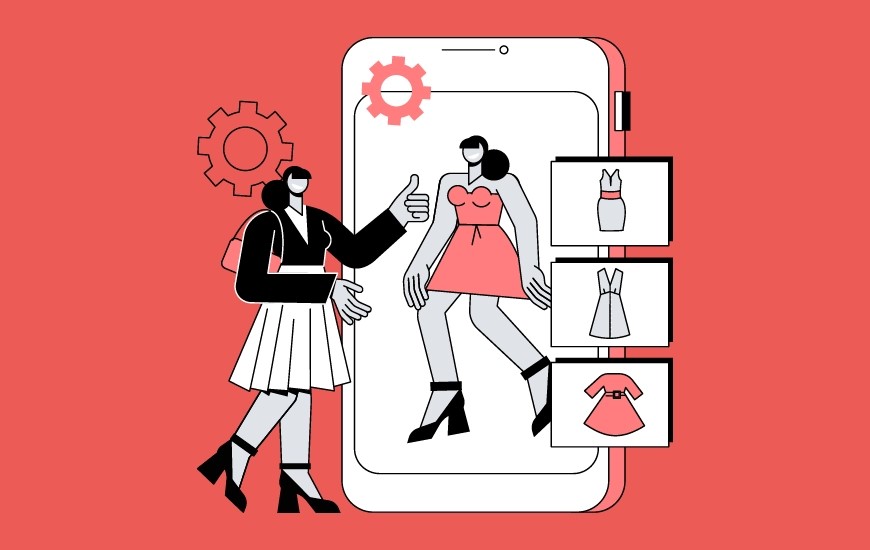
Generate product imagery
Instead of running multiple photoshoots for different models or variations, brands can create consistent visuals programmatically, saving time while scaling content production.
→ Example: Brand uploads product images and generates visuals across different body types or poses
Personalized marketing and ads
Try-on images can be adapted to different audiences, making creatives feel more relevant and tailored without manually producing each variation.
→ Example: The same product is shown on different body types or styles depending on the target audience segment
Outfit builders or mix-and-match experiences, where users combine multiple items (e.g., tops and bottoms) and preview the full look in one place.
→ Example: A shopper selects a top and bottom, then previews the full outfit together on their own image.
Virtual try-on is less about a single feature and more about unlocking new ways to present products, making the shopping experience more visual, interactive, and personalized.
How to choose the right virtual try-on API
With multiple virtual try-on APIs available, the challenge isn’t finding a solution; it’s choosing the right one for your product and scale.
The first factor to evaluate is output quality. This goes beyond whether the image “looks good” at a glance. Pay attention to how well the API preserves garment details, adapts to different body types, and handles tricky cases like overlapping arms or loose clothing. Testing with your own product images is essential here.
Next is latency and performance. Some APIs return results quickly enough for near real-time experiences, while others rely on asynchronous workflows that take a few seconds. Neither is inherently better, it depends on your UX. For example, product pages can often accommodate short loading states, while interactive flows may require faster responses.
Pricing structure is another key consideration. Many APIs use credit-based systems, but the details matter: how credits are consumed, whether they expire, and how predictable costs are at scale. Small differences here can have a large impact as usage grows.
You’ll also want to look at the integration experience. Clear documentation, simple request formats, and well-designed endpoints can significantly reduce development time. Features like input validation or preprocessing can also help improve reliability, especially when working with user-uploaded images.
Finally, consider production readiness. An API that works well in a demo might behave differently at scale. Think about how it handles large catalogs, varying image quality, and high traffic. Stability and consistency often matter more than raw capability once you move into production.
The best choice comes down to how well an API fits your real-world workflow, not just its feature list.
We break down 5 Virtual try on API to explore
How much does a virtual try-on API cost?
The cost of a virtual try-on API can vary significantly depending on the provider, pricing model, and how you use it, but there are a few consistent patterns across the industry.
Most APIs use either a credit-based or subscription-based model. In credit-based systems, each try-on generation consumes a certain number of credits. In many cases, 1 credit ≈ 1 try-on image, making pricing relatively straightforward to estimate.
Explore Fitroom Virtual Try On API pricing
In terms of actual numbers, usage-based pricing typically falls in the range of $0.10 to $0.50 per generated image, depending on output quality and model complexity. Some providers offer lower-cost tiers, for example, around $0.10 per image for standard quality generation.
Alternatively, subscription plans bundle a fixed number of generations per month. For example, entry-level plans may start at around $10-$50/month for a few hundred try-ons, while higher tiers scale into thousands of generations per month.
Several factors influence the final cost:
- Image quality (standard vs HD)
- Single vs multi-garment try-on
- Volume (higher usage often lowers cost per image)
- Additional features (validation, storage, analytics)
However, focusing only on cost per image can be misleading. The more important question is cost relative to impact.
If virtual try-on helps reduce return rates, even by a small percentage, the savings can quickly outweigh the API cost. Similarly, improving conversion rates or increasing user engagement can generate additional revenue that offsets usage expenses.
For example, if a try-on costs $0.20 but helps prevent a return that would cost $5 – $10 in logistics, the ROI becomes clear.
For this reason, most teams start with small-scale testing, then scale usage once they see measurable improvements in conversion, return rates, or user engagement.
Virtual try-on should be evaluated not just as a cost, but as an investment in improving the overall shopping experience.
Getting started with FitRoom’s virtual try-on API
If you’re looking to integrate virtual try-on into your product, getting started typically doesn’t require a complex setup.
FitRoom provides a developer-friendly API designed for real-world ecommerce workflows, including user-upload try-on experiences. The integration follows a straightforward flow: upload inputs, optionally validate them, trigger a try-on task, and display the generated result in your interface.
The API supports asynchronous processing, making it easy to build around loading states or background generation. This allows you to integrate try-on directly into product pages or apps without disrupting the user experience.
For implementation details, endpoints, and examples, you can explore the full documentation on the FitRoom developer site and test how it fits into your workflow.
Common mistakes when implementing virtual try-on
Many teams don’t see strong results, not because the technology doesn’t work, but because of how it’s used.
One of the most common mistakes is using low-quality input images. Virtual try-on models rely heavily on clear, well-lit photos. Blurry product images or poorly framed user uploads can quickly lead to unrealistic results, which undermines trust instead of building it. Setting basic input guidelines or using validation before processing can make a significant difference.
Another issue is treating virtual try-on as a gimmick instead of a core feature. If it’s buried in the UI or feels like an optional add-on, users are less likely to engage with it. The most effective implementations integrate try-on directly into the product experience, making it a natural part of how users evaluate items.
Teams also often underestimate the importance of UX. Even if the output quality is strong, a slow or unclear experience can hurt adoption. Missing loading states, no progress feedback, or confusing flows can cause users to drop off before they ever see the result.
A related mistake is not testing with real users and real data. Demo images and ideal conditions don’t reflect real-world usage. Edge cases, like unusual poses, diverse body types, or complex garments, are where issues tend to appear. Without testing in realistic scenarios, it’s hard to understand how the feature will actually perform.
Finally, many teams don’t close the feedback loop. Virtual try-on generates valuable signals: what users try, what they click, what they ignore, but this data often goes unused. Feeding these insights back into product pages, sizing guidance, or UX improvements is key to unlocking long-term impact.
FAQs
Do virtual try-on APIs work with user-uploaded photos?
Yes, many APIs are designed to support user-upload flows. This is one of the most common use cases in e-commerce. That said, input quality plays a big role, so some APIs include validation or preprocessing steps to improve consistency when working with real user images.
Can virtual try-on APIs reduce return rates?
They can help by improving purchase confidence. When customers better understand how a product will look on them, they’re less likely to order the wrong size or style. The actual impact depends on how the feature is implemented and how users engage with it.
Is it better to use an API or build your own solution?
APIs are usually faster to implement and require less infrastructure, making them a practical choice for most teams. Building your own solution offers more control but requires machine learning expertise, compute resources, and ongoing maintenance.
Can virtual try-on be integrated into Shopify or WooCommerce?
Yes. Developers can integrate virtual try-on APIs into e-commerce platforms through custom apps, plugins, or storefront customizations. This allows merchants to add try-on functionality directly to product pages or shopping flows.
Do I need 3D models or body scanning for virtual try-on?
No, most modern virtual try-on APIs work with standard 2D images. Users can upload a regular photo, and the system generates a try-on result without requiring 3D avatars or specialized hardware.
Virtual try-on APIs: The new essential for e-commerce
Virtual try-on APIs solve a fundamental problem: helping customers better visualize products before buying, and in doing so, impact everything from conversion rates to return reduction. But like any technology, the real value doesn’t come from the API itself, it comes from how it’s implemented.
Whether you’re a brand, developer, or platform, the key is to start simple, test with real data, and build from there. The right approach isn’t about adopting the most advanced solution, but about finding what works best for your product and your users.
As the technology continues to improve, virtual try-on won’t just enhance the shopping experience, it will help define it.